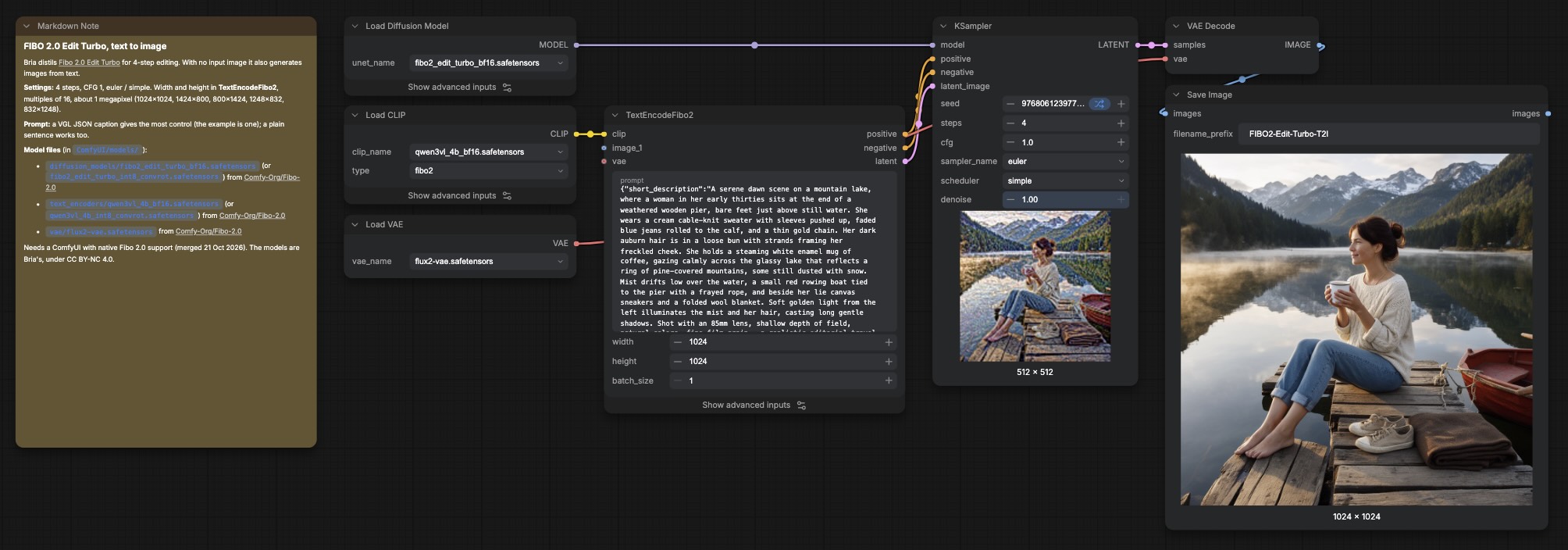
Instructions to use lvladikov/FIBO2-Edit-Turbo-T2I with libraries, inference providers, notebooks, and local apps. Follow these links to get started.
- Libraries
- MLX
How to use lvladikov/FIBO2-Edit-Turbo-T2I with MLX:
# Download the model from the Hub pip install huggingface_hub[hf_xet] hf download lvladikov/FIBO2-Edit-Turbo-T2I --local-dir FIBO2-Edit-Turbo-T2I
- mflux
How to use lvladikov/FIBO2-Edit-Turbo-T2I with mflux:
# No code snippets available yet for this library. # To use this model, check the repository files and the library's documentation. # Want to help? PRs adding snippets are welcome at: # https://github.com/huggingface/huggingface.js
- Notebooks
- Google Colab
- Kaggle
- Local Apps Settings
- LM Studio
- Atomic Chat
Download assets/fibo-workflow.jpg from lvladikov/FIBO2-Edit-Turbo-T2I: direct link, hf CLI and curl.
- Browser
- Download file 246 kB
-
https://huggingface.co/lvladikov/FIBO2-Edit-Turbo-T2I/resolve/main/assets/fibo-workflow.jpg
- Command line
-
hf download hf://lvladikov/FIBO2-Edit-Turbo-T2I/assets/fibo-workflow.jpg
-
curl -L -o fibo-workflow.jpg https://huggingface.co/lvladikov/FIBO2-Edit-Turbo-T2I/resolve/main/assets/fibo-workflow.jpg
246 kB

- Xet hash:
- 69769b3b8ff1f2761a871c54dc2b9086c4ce08a74b206e78dae26821e6394c93
- Size of remote file:
- 246 kB
- SHA256:
- 773c1dfb3515af0a1d65258b36ad1500907476355fa9fd41e1385d42ed32eead
·
Xet efficiently stores Large Files inside Git, intelligently splitting files into unique chunks and accelerating uploads and downloads. More info.